Recently, multiple domestic enterprises have suffered ransomware attacks, resulting in serious losses due to leakage and loss of critical company data. Based on this situation, the following threat intelligence has been analyzed and summarized.
01. Ransomware Attack Principles
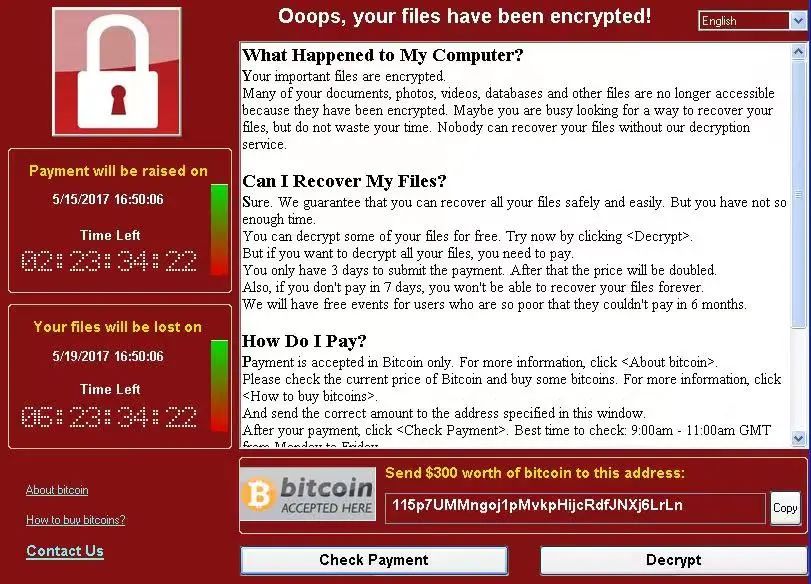
Ransomware is a type of computer virus that primarily spreads through system vulnerabilities, email delivery, malicious trojans, or web backdoors. Once a computer is infected, nearly all files on the disk are encrypted, making critical files inaccessible or even leaked, causing severe losses to enterprises and individual users.
02. Typical Attack Vectors
Ransomware attacks mainly occur through three channels: vulnerabilities, emails and promotional ads, and computer peripherals.
- Exploiting vulnerabilities: Attacks use weak passwords, backdoors, or privilege escalation vulnerabilities. Many companies still use older systems like Windows XP or Windows 7, which contain numerous unpatched vulnerabilities. This makes enterprise networks and computers prime targets, allowing ransomware to spread rapidly within LANs.
- Email and ad-based attacks: Malware is embedded in emails or promotional content. Once an employee downloads or runs the attachment, the virus infects the computer and can propagate across the LAN.
- Peripheral-based attacks: Daily office use of USB drives, external hard drives, and recorders can provide routes for ransomware infection.
03. Security Hardening Recommendations
- Vulnerability mitigation: Check computers and network devices for security holes. Upgrade old systems or use professional security software to patch vulnerabilities. Regularly change system passwords, avoid default or weak passwords like "admin" or simple combinations, disable arbitrary file upload functionality, and specifically patch high-risk vulnerabilities such as "EternalBlue."
- Email and ad safety: Enhance employee cybersecurity awareness. Avoid downloading unknown email attachments, scan all attachments with antivirus software, avoid clicking on unknown ads, and disable unnecessary software pop-ups.
- Peripheral control: Strictly manage external storage devices. All removable media used in the office should be registered and tracked. Users should safely store devices and scan them for viruses before use.
- Internal network access: Restrict employee access to enterprise networks. Disable remote access unless necessary, enforce strong password policies, and limit remote access to specific IP addresses. Strengthen network boundary controls and access management.
04. Technical Support
If a personal PC is suspected of being infected with ransomware or needs security hardening, please contact the IT department immediately.

 Service Hotline: 0519-83276604

 Message
